A timer to capture images from a webcam with OpenCV
We may need to grab images from a webcam for many reasons:
- To calibrate your camera, you need to take snapshots of patterns with it.
- To collect live camera images and label them later (to train a custom deep learning model).
- To make a stop-motion animation, after all.
I needed this small program because I wanted to calibrate a camera. Camera calibration will be another topic, but to do it you need many images of the calibration object. At first I tried to take them manually, but it didn't work as planned. Taking snapshots of the camera frames automatically is the best way.
First of all, we need to install the necessary packages:
$ pip install imutils
$ pip install time
$ pip install argparse
Now let's write a program that takes snapshots from the camera frames:
# import the necessary packages
import cv2
import time
import argparse
import imutilstime, to measure the time between images.
argparse, to parse command-line options, arguments and sub-commands.
imutils, for image processing, for example resizing.
I wanted to add argparse to make testing faster and the script easier to use in the future.
# construct the argument parser and parse the arguments
ap = argparse.ArgumentParser()
ap.add_argument("-t", "--timer", required=False, default=5,
                help="image capture frequency", type=int)
ap.add_argument("-w", "--width", required=False, default=1200,
                help="image width", type=int)
ap.add_argument("-d", "--duration", required=False, default=600,
                help="duration of the capture in seconds", type=int)
args = vars(ap.parse_args())
--timer sets the time between 2 snapshots.
--width is the width of the output image in pixels.
--duration is how long the program runs. It lets us run the script for a long time without waiting in front of the computer.
Let's start by defining our variables and capturing images from the camera:
img_counter = 0
timer = time.time()
start_time = time.time()
end_time = time.time()

capture = cv2.VideoCapture(0)
Check that the camera is on and continue with our conditions:
# check that the camera is working
if capture.isOpened():

    while True:
        # capture frame by frame
        ret, frame = capture.read()
        frame = imutils.resize(frame, width=args["width"])

        # display the resulting frame
        cv2.imshow('frame', frame)
        # press Q to quit the script
        if cv2.waitKey(1) & 0xFF == ord('q'):
            break
        # quit the script when the given duration is exceeded
        if (end_time - start_time) >= args["duration"]:
            print('time is up')
            break
        if time.time() - timer >= args["timer"]:
            img_name = "images/frame_{}.png".format(img_counter)
            cv2.imwrite(img_name, frame)
            print("{} written!".format(img_counter))
            timer = time.time()
            end_time = time.time()
            print (end_time - start_time)
        img_counter += 1

    # when everything is done, release the capture
    capture.release()
    cv2.destroyAllWindows()
While the camera is on, we capture frames and display the result. As long as the elapsed time is below our duration, the script keeps running, and whenever the given interval has passed since the last snapshot, it takes another one.
Running the script
Save the script with any name you like (for example: save-images-from-camera.py). In the same directory, create an "images" folder for the images.
$ mkdir imagesRun the script with the following command:
$ python save-images-from-camera.py --timer 5 --width 800 --duration 600This command takes a snapshot every 5 seconds for 600 seconds and saves them as 800-pixel-wide .PNG images.
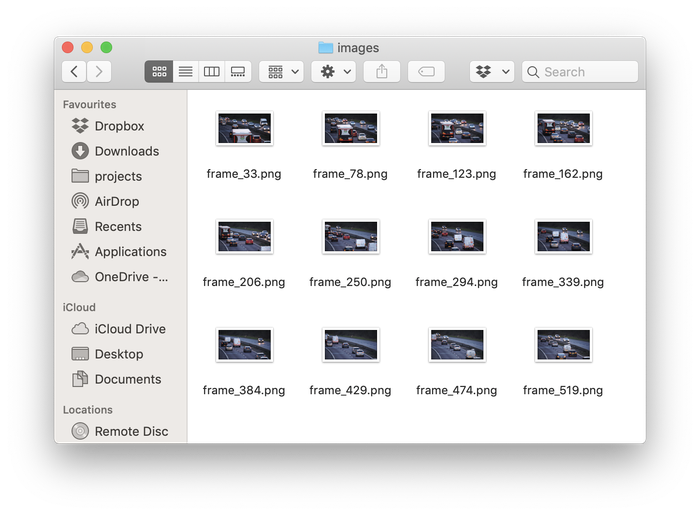
Figure 1: taking snapshots from a camera or video with OpenCV and Python.
Summary
Today we built a script that takes snapshots from a camera. We can set the delay between images, change the width of the output images, and limit how long the script runs.