Oval
pf.annotate.oval draws an ellipse at the bottom of each box, where a person or a car meets the
ground. It marks objects without covering them, which works well for crowds and sports footage,
where boxes overlap and hide each other.
import pixelflow as pf
from mayaku import from_pretrained

predictor = from_pretrained("mayaku-n-det")
result = predictor("street.jpg")
detections = pf.from_mayaku(result, labels=predictor.class_names)
detections = detections.filter_by_confidence(0.5)

people = detections.filter_by_class_id(predictor.class_names.index("Person"))

image = pf.read_image("street.jpg")
image = pf.annotate.oval(image, people)
pf.save_image("street-ovals.jpg", image)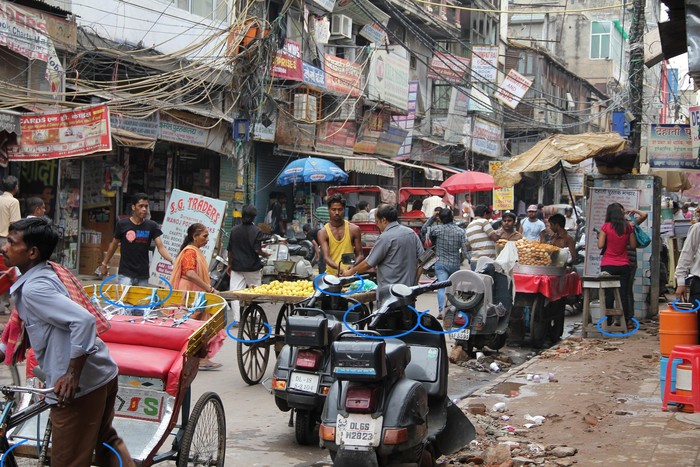
The ellipse is centered on the bottom edge of the box. It is as wide as the box and a quarter as tall as it is wide.
By default the arc leaves a gap at the top, behind the object's feet, so the line does not cross
the object itself. Angles are in degrees, measured clockwise from the right-hand side: the
default arc runs from -45 to 235, and start_angle=0, end_angle=360 draws the full ellipse.
Parameters
| Parameter | Default | |
|---|---|---|
image |
RGB image, drawn on in place | |
detections |
the Detections to mark |
|
thickness |
from the image size | line width in pixels: 4 on a 1920×1280 image |
start_angle |
-45 |
where the arc starts, in degrees |
end_angle |
235 |
where the arc ends, in degrees |
colors |
the default palette | list of RGB colors, picked by class_id (see colors) |