Pixelate
pf.annotate.pixelate replaces the inside of each box with large square blocks. Like
blur, it hides who is in the image; the blocks also show plainly
that something was hidden on purpose.
import pixelflow as pf
from mayaku import from_pretrained

predictor = from_pretrained("mayaku-n-det")
result = predictor("street.jpg")
detections = pf.from_mayaku(result, labels=predictor.class_names)
detections = detections.filter_by_confidence(0.5)

people = detections.filter_by_class_id(predictor.class_names.index("Person"))

image = pf.read_image("street.jpg")
image = pf.annotate.pixelate(image, people)
pf.save_image("street-pixelated.jpg", image)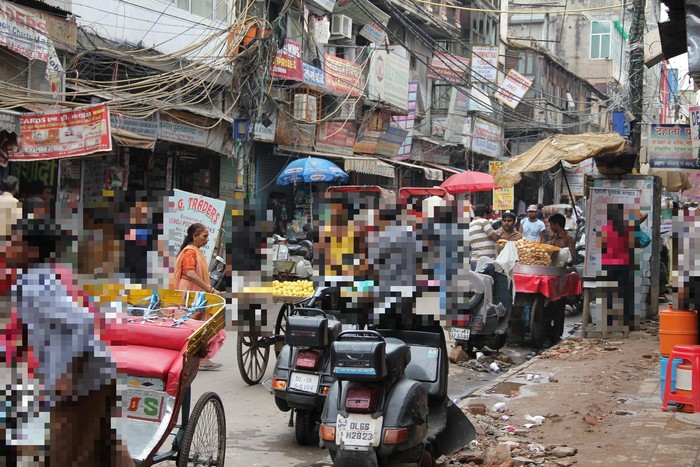
The box is shrunk to a few pixels and blown back up, so each block is one flat color taken from the
area it covers; larger blocks hide more. Each box is grown by padding_percent on every side
first. A box smaller than one block is left as it is.
Parameters
| Parameter | Default | |
|---|---|---|
image |
image, changed in place | |
detections |
the Detections to pixelate |
|
pixel_size |
from the image size | width of each block in pixels: 15 on a 1920×1280 image |
padding_percent |
0.05 |
how much to grow each box on every side, as a share of its width and height, from 0 to 0.5 |